Loading installation guide…
Install your WaveSim
Choose your phone below and follow the steps. We recommend installing your eSIM while connected to Wi-Fi before your trip.
- Connect to Wi-Fi
- Have your WaveSim QR code ready
- Make sure your phone is unlocked and eSIM compatible
- Don't delete your eSIM after installation
01
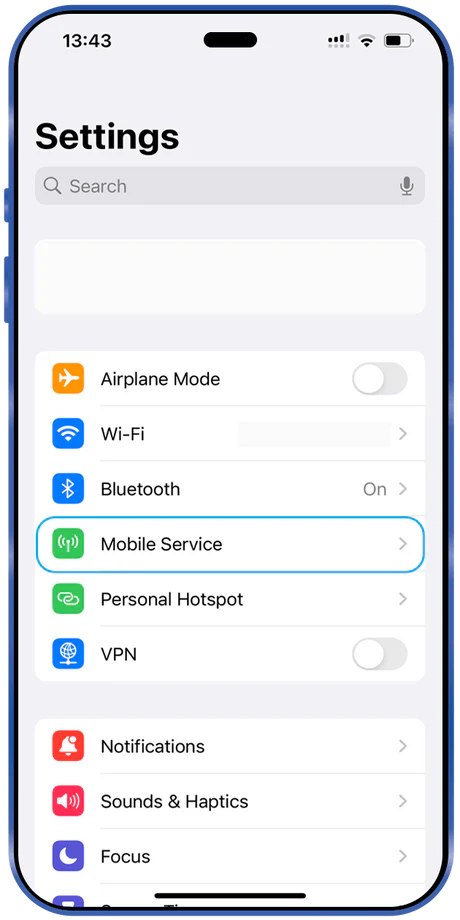
Open Settings
Open Settings and select Mobile Service / Cellular.
02
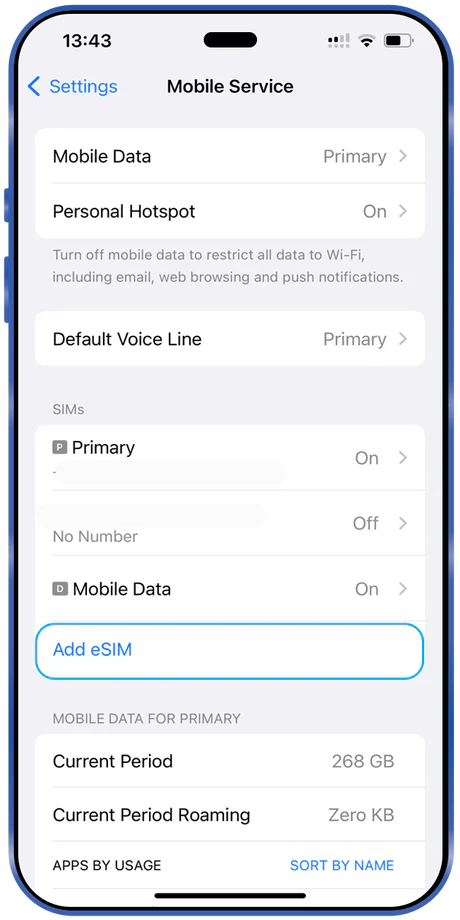
Add eSIM
Choose Add eSIM.
03
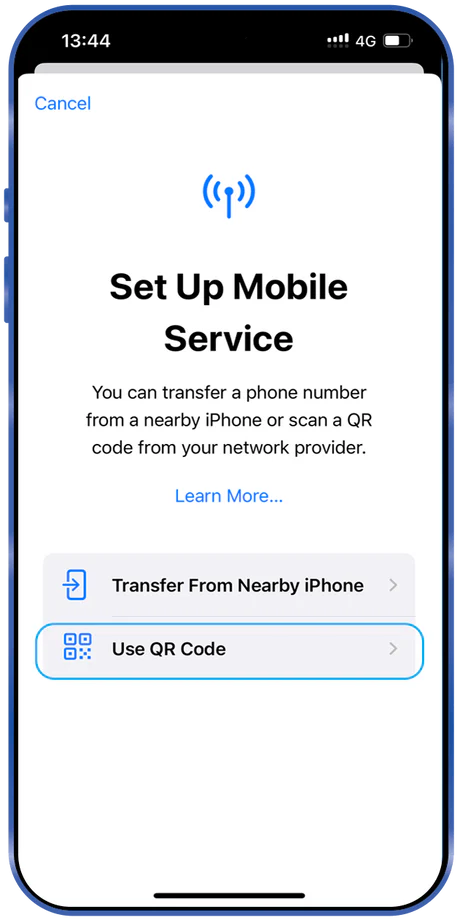
Use QR Code
Select Use QR Code.
04
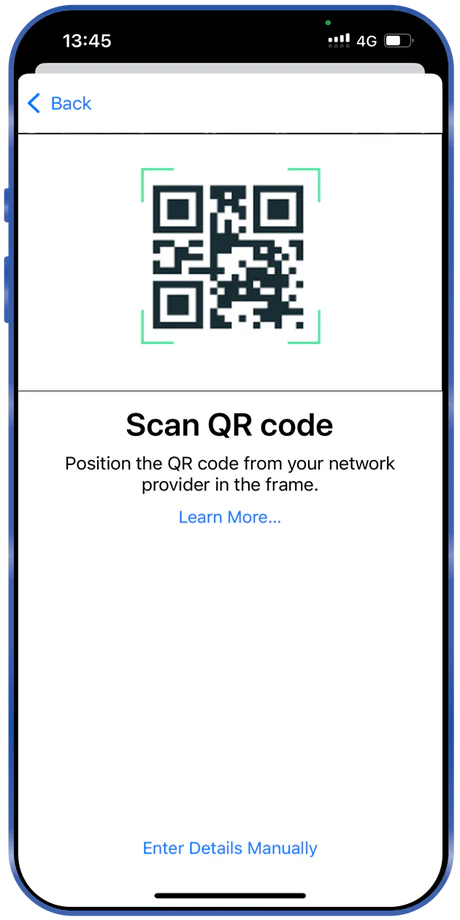
Scan your WaveSim QR code
Scan the QR code from your WaveSim email or order.
05
Label your eSIM
Name it WaveSim so it is easy to recognise during your trip.
When you arrive
- 1.Turn on your WaveSim eSIM.
- 2.Select WaveSim for Mobile Data.
- 3.Enable Data Roaming if the plan or network requires it.
- 4.Wait for network registration.
- 5.You're connected.
Still need help?
Our support team can help you get connected. Support by phone and email.